 100% AUTHENTIC PRODUCTS |
  COUNTRYWIDE SHIPPING |
  SECURE & TRUSTED |
  WE DELIVER BEAUTY TO YOUR DOORSTEP


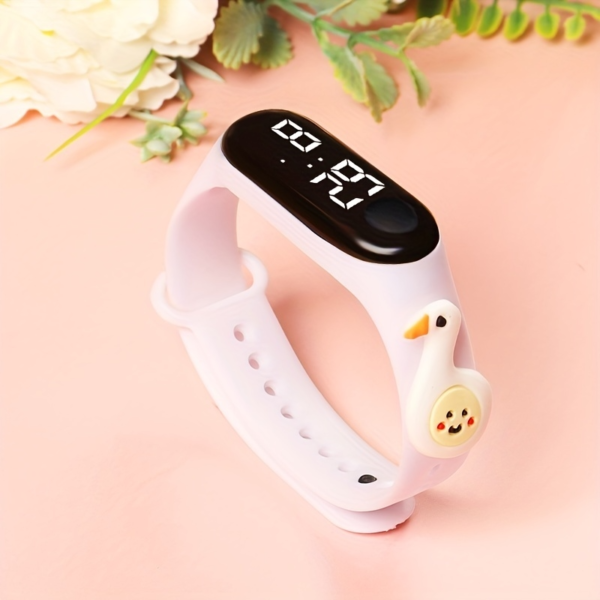

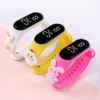
Kids Digital Watch Touchscreen
Kids Digital Watch Touchscreen Waterproof LED Electronic Cartoon Wristband
Electronic watch activation: pull out the insulating tab → long-press the button for 5–10 seconds to wake it up; built-in button cell battery, normal use lasts 6–12 months.
1. Function overview
①. LED display time, month, day, second
②. Automatic calendar, 12 hour system, single key operation
③. Power saving mode, no action in 3 seconds, the screen display on their own off screen
2. Mode selection
①. Click the start button to start the
②、Click on the button to watch (time / minute), date mode (month/day), second
③、 Note: the small dots in front of the hour show the “PM” period.
①、In the time display, hold down the button for 3 seconds to enter the setting mode, the “clock” number flashing, “clock” number flashing, release the button, press the button, debug the current value, the clock is adjusted
②. Continue to press the button 3 seconds flashing, minutes flashing, release the button, press the button to debug the current value, after a good tun.3. Data set
③. Continue to press the button 3 seconds, “Y00” (Y) on behalf of the number of flashing, release the button, press the button to debug the current value, the year after the tune



Reviews
There are no reviews yet.